AI root cause analysis for Kubernetes
A pod restarts, latency climbs, a downstream service times out, and five dashboards each show part of the story. SerOps puts the pieces together, the OOMKill, the deploy that preceded it and the errors it caused, and tells you why it happened.
Why Kubernetes incidents are hard to explain
On Kubernetes the cause and the symptom rarely live in the same place. A container killed for running out of memory leaves no error in its own logs: its output just stops. What you see instead is the service that depended on it timing out, a spike in 5xx at the ingress, and a restart counter that went up by one. Each tool shows a fragment; connecting them is the slow part of every incident.
What SerOps reads
- Pod lifecycle: container restarts and termination reasons such as
OOMKilled, from kube-state-metrics through Prometheus. Only restarts that happened inside the analysed window count, so an OOMKill from last week is never blamed for today's incident. - Logs from the backend you already use: Elasticsearch, OpenSearch, Loki, Splunk, Datadog, CloudWatch, Google Cloud Logging or Azure Monitor.
- Metrics: CPU and memory per container from Prometheus, VictoriaMetrics or Mimir, flagged when they approach their limits.
- Traces over OpenTelemetry (OTLP), summarised into the slowest and failing spans.
- Deploys and code: Argo CD and Flux events, CI/CD runs and the commits in each release, so a regression is linked to the change that caused it.
What you get
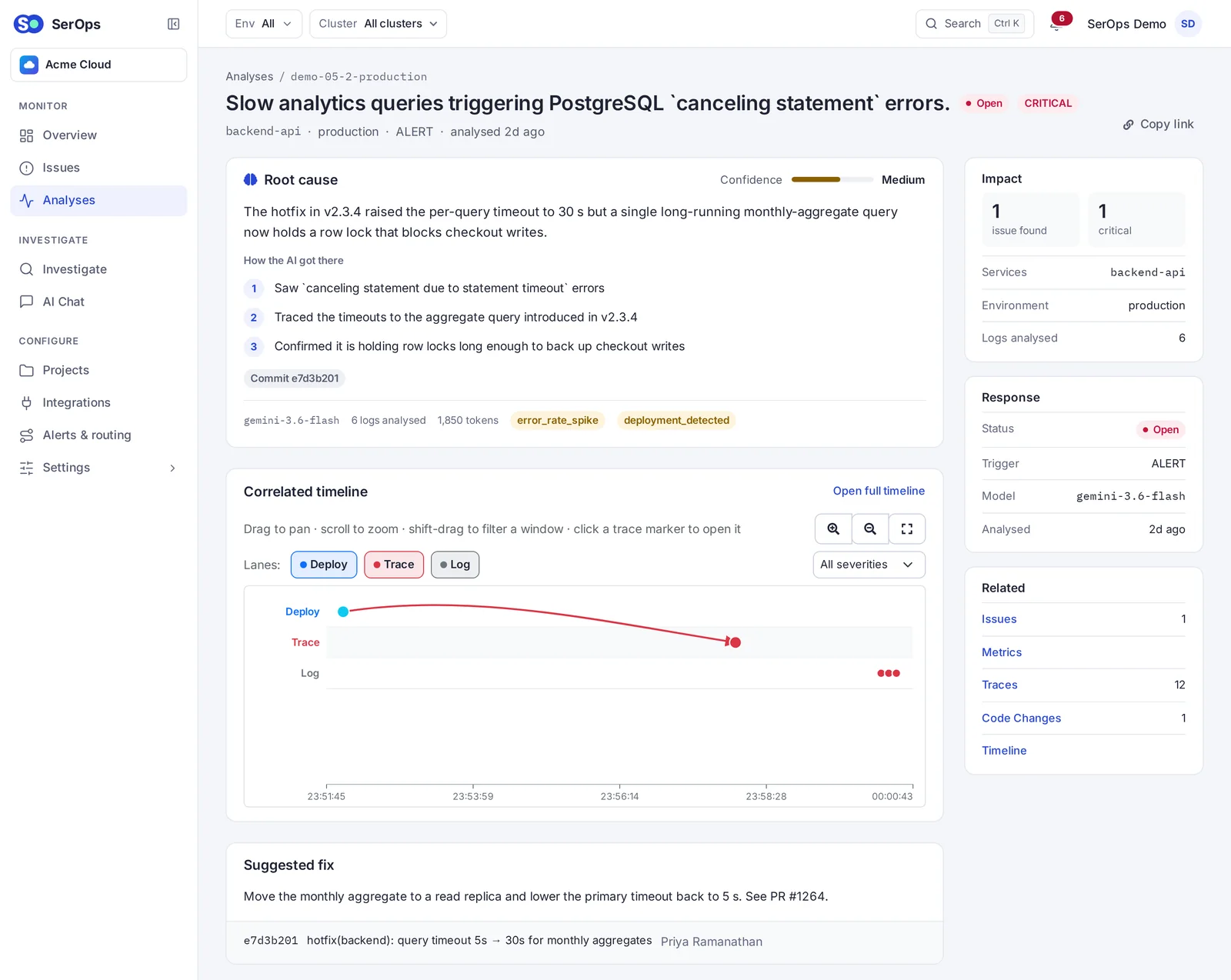
For every window, per project and environment, SerOps writes a root cause in plain language, the issues behind it with a recommended fix, and the evidence it used. For example: "payments was OOMKilled at 14:02 after deploy v2.3.4 doubled the cache size; checkout's timeouts are a consequence." Issues are deduplicated across windows, so a recurring problem stays one issue with a count, not fifty alerts.
Multiple clusters
Register each cluster (EKS, GKE, AKS or a local kind cluster) and SerOps keeps their data, analyses and filters apart, with a cluster picker in the UI. See multiple Kubernetes clusters.
Install it on the cluster
SerOps ships an official Helm chart: helm install serops oci://ghcr.io/getserops/charts/serops. A lab install brings its own PostgreSQL and Redis; for production you point it at yours. Follow the Helm guide, or try Docker Compose first with the quick start.
Frequently asked questions
Do I need kube-state-metrics?
For OOMKill and restart signals, yes; it is part of kube-prometheus-stack, so most clusters already have it. Without it, SerOps still analyses logs, metrics, traces and deploys.
Does SerOps install an agent on every node?
No. It queries the Prometheus and log backend you already run, and receives deploy events by webhook.
Does it only work on Kubernetes?
No. Kubernetes adds pod-level signals, but SerOps analyses any service whose logs and metrics you collect, on VMs or managed services too.
How is this different from K8sGPT?
K8sGPT checks Kubernetes objects for problems; SerOps explains incidents from logs, metrics, traces and deploys. See SerOps vs K8sGPT.
See it on real data
The live demo runs on seeded incidents: no signup. Or run SerOps on your own infrastructure; it is free and open source (AGPL-3.0).